- Dec 8, 1999
- 7,622
- 31,055
If you’ve been dealing with technical issues like sluggish loading times or forced page reloads, we encourage you to give our new Performance Mode a try.
Performance Mode is a new theme option that aims to reduce load times and memory consumption. It works by keeping common page elements in memory while you browse and rendering embedded social media content as clickable previews.
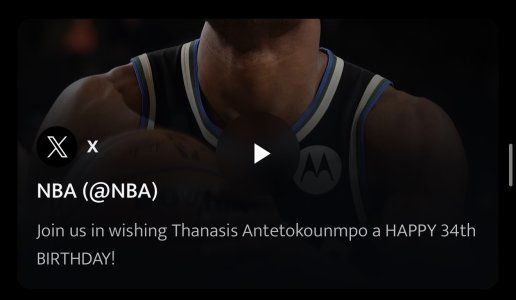
Instead of loading sometimes dozens of embedded social media posts and videos as soon as you attempt to view a page, embedded content will initially appear as a preview like this one:

Once clicked or tapped, it will expand as normal:

Our thread image gallery feature has also been rewritten and is now faster, lighter weight, and more touch friendly. When viewing individual images, you can return to thread view with a simple swipe up rather than clicking the small ‘x’ to close.
To enable Performance Mode, simply scroll down to the bottom of the page and select it from the list of available themes:

You can disable the feature at any time by selecting one of our other two themes: OG or Cool Grey.
Performance Mode is still under development, so please let us know if you encounter any issues.
If you come across anyone in the forums complaining about forced page reloads on mobile or similar issues, please direct them to this thread to help spread the word.
Thanks for your continued support of the NikeTalk community, independent websites, and genuine human interaction.
Performance Mode is a new theme option that aims to reduce load times and memory consumption. It works by keeping common page elements in memory while you browse and rendering embedded social media content as clickable previews.
Instead of loading sometimes dozens of embedded social media posts and videos as soon as you attempt to view a page, embedded content will initially appear as a preview like this one:
Once clicked or tapped, it will expand as normal:
Our thread image gallery feature has also been rewritten and is now faster, lighter weight, and more touch friendly. When viewing individual images, you can return to thread view with a simple swipe up rather than clicking the small ‘x’ to close.
To enable Performance Mode, simply scroll down to the bottom of the page and select it from the list of available themes:
You can disable the feature at any time by selecting one of our other two themes: OG or Cool Grey.
Performance Mode is still under development, so please let us know if you encounter any issues.
If you come across anyone in the forums complaining about forced page reloads on mobile or similar issues, please direct them to this thread to help spread the word.
Thanks for your continued support of the NikeTalk community, independent websites, and genuine human interaction.


 so far so good on the new mode